Run your RTO agency's work in one place.
Manage dealer work, vehicle cases, applications, objections, assignments and billing — without losing track of what happens next.
Best suited for agencies handling work at volume.
Start with sample data or your own cases.
Already using KaamDesk? Sign In →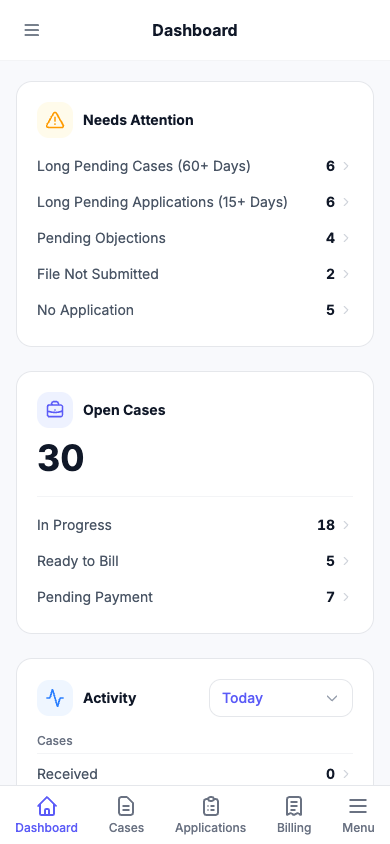
Still running your agency on Excel, WhatsApp and memory?
When dozens of vehicle cases are moving at once, it gets hard to say which applications are pending, which objection nobody has answered yet, who is holding a file, and what is ready to bill.
Dealer work piles up
New vehicles keep arriving while yesterday's files are still open, and the list only exists in someone's head.
Objections get missed
An objection sits unanswered for days because nobody was tracking that particular application.
Nobody knows who has the file
Work is spread across your team and outside agents, with no single list of who is handling what.
Billing drifts from the work
Completed cases wait to be billed because the amounts live in a different sheet from the work.
One case. Every application. Nothing gets lost.
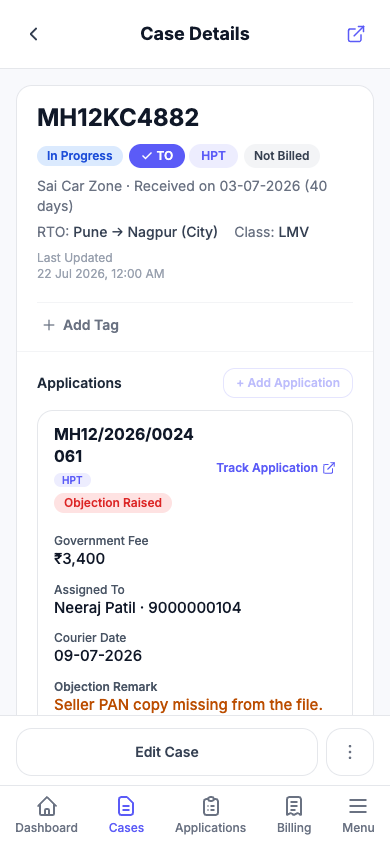
Keep the vehicle job together while tracking each application separately — submissions, objections, resubmissions and approvals.
-
Receive the work
Create a case for the vehicle and the work the dealer has asked for.
-
Add applications
One case can carry a single application or several, each moving at its own pace.
-
Move work forward
Record submissions, objections, resubmissions and approvals as they happen.
-
Bill completed work
Turn approved, unbilled cases into a bill for the dealer.
Built for agencies handling work at scale.
See your workload across dealers, case types, statuses and tags instead of hunting through spreadsheets and WhatsApp chats.
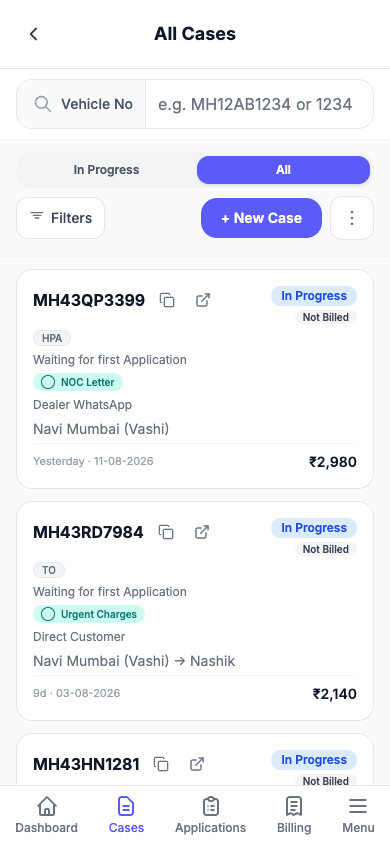
Your RTO workflow, built for mobile.
Check cases, update applications, track objections and keep work moving from your phone — without wrestling with a spreadsheet.
A spreadsheet is a good place to keep information. KaamDesk is built to run the work.
- Check pending work quickly
- Update application progress from your phone
- Install it on your phone like an app
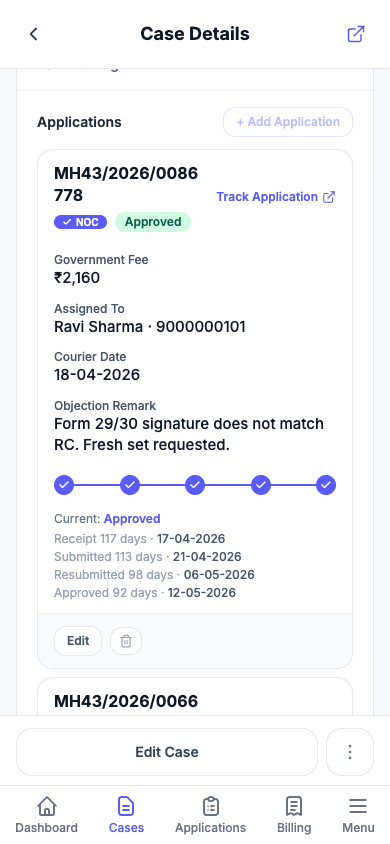
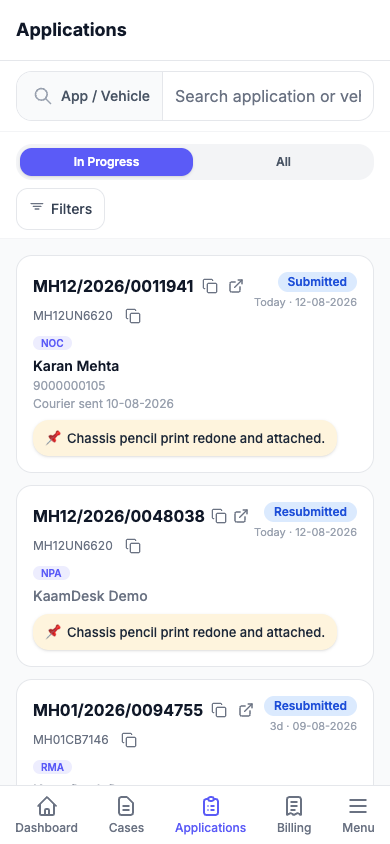
Know exactly where every application stands.
From submission to objection, resubmission and approval — see what happened, when, and what needs attention next.
Coordinate your team and external agents.
Know which applications are with your team, which are with external agents, and what still needs attention. Assign applications to your team or external agents so everyone knows what they're handling.
Finish the workflow with billing.
Turn completed work into bills while keeping government fees separate from your agency's charges — and bill a dealer for several completed cases at once.

Everything your agency needs to run RTO work
Built around how RTO agencies actually work — cases, files, agents and bills.
Case Management
Keep every vehicle job organized with case details, case types, RTO information and charges.
Application Tracking
Track each physical RTO application independently, including application number, status and milestone dates.
Objection & Resubmission
Record objections and move the same application through resubmission until approval.
Assign Applications
Assign individual applications to your team or to saved external agents, and see who is handling each one.
Dashboard
See your operational workload and where work needs attention — long-pending cases, files not yet submitted, open objections and work that's ready to bill.
Billing
Generate bills from approved, unbilled cases and track unpaid and paid bills.
Search & Filters
Find vehicles and narrow down work quickly instead of searching through spreadsheets.
Comments
Keep updates on each case in one thread, so your team can see the latest without digging through chat history.
Team Members & Roles
Add your staff as owner, editor or viewer. Everyone works from the same live data, with the right level of access.
Made for busy RTO agencies
KaamDesk is built for agencies handling a steady flow of vehicle and application work — especially where multiple dealers, team members and external agents are involved.
Best suited for agencies handling work at volume. If you handle only a handful of applications occasionally, KaamDesk may be more than you need.
- Dealer and bulk work
- Multiple applications per case
- Objection and resubmission tracking
- External agent coordination
- Billing and payment tracking
- Searchable operational history
Start Using KaamDesk Free
Manage your RTO cases, applications, assignments and billing in one place. Create your workspace in minutes and get started with KaamDesk.
Start with sample data or your own cases.
Need Help Getting Started?
Have questions about KaamDesk or want help setting up your workflow? We're happy to help. The quickest way to reach us is on WhatsApp — we usually reply the same day.
Or email us at kaamdeskapp@gmail.com
New to KaamDesk? Read the Getting Started guide →
Already a customer? Sign in →